
10 Apps for Executive Functioning: A Practical Guide
A familiar kind of morning starts with a clear view of everything that needs doing and no clear way into any of it. You can't decide what to start, estimate how long it'll take, remember the next step, or reorganize the plan when the day changes. That isn't necessarily a lack of effort. Executive functioning is a group of skills, including planning, time management, working memory, task initiation, transitions, and organization, and different people get stuck at different points.
The most useful apps for executive functioning are the ones that support the specific step that's getting in your way. Below are 10 apps with distinct strengths, practical trade-offs, and suggestions for using them without building a second job around maintaining your system. Some make the day more visible; others break down tasks, guide routines, or help you begin work.
These apps are organizational supports, not treatments. They may complement therapy, medication, or other professional guidance, but they can't assess or address every part of ADHD. Research on digital ADHD interventions has found potential benefits, alongside important limits in the quality and certainty of the evidence (systematic review of reviews).
Table of Contents
1. Tiimo
If a text-based to-do list feels like a wall of equally urgent tasks, Tiimo offers a more visual way to see the day. Its color-coded schedule brings plans and tasks into a daily view, which may help when it's easier to act on what you can see than to keep a long list in mind. The app is designed with neurodivergent users in mind, and its visual approach can make the shape of the day easier to scan.
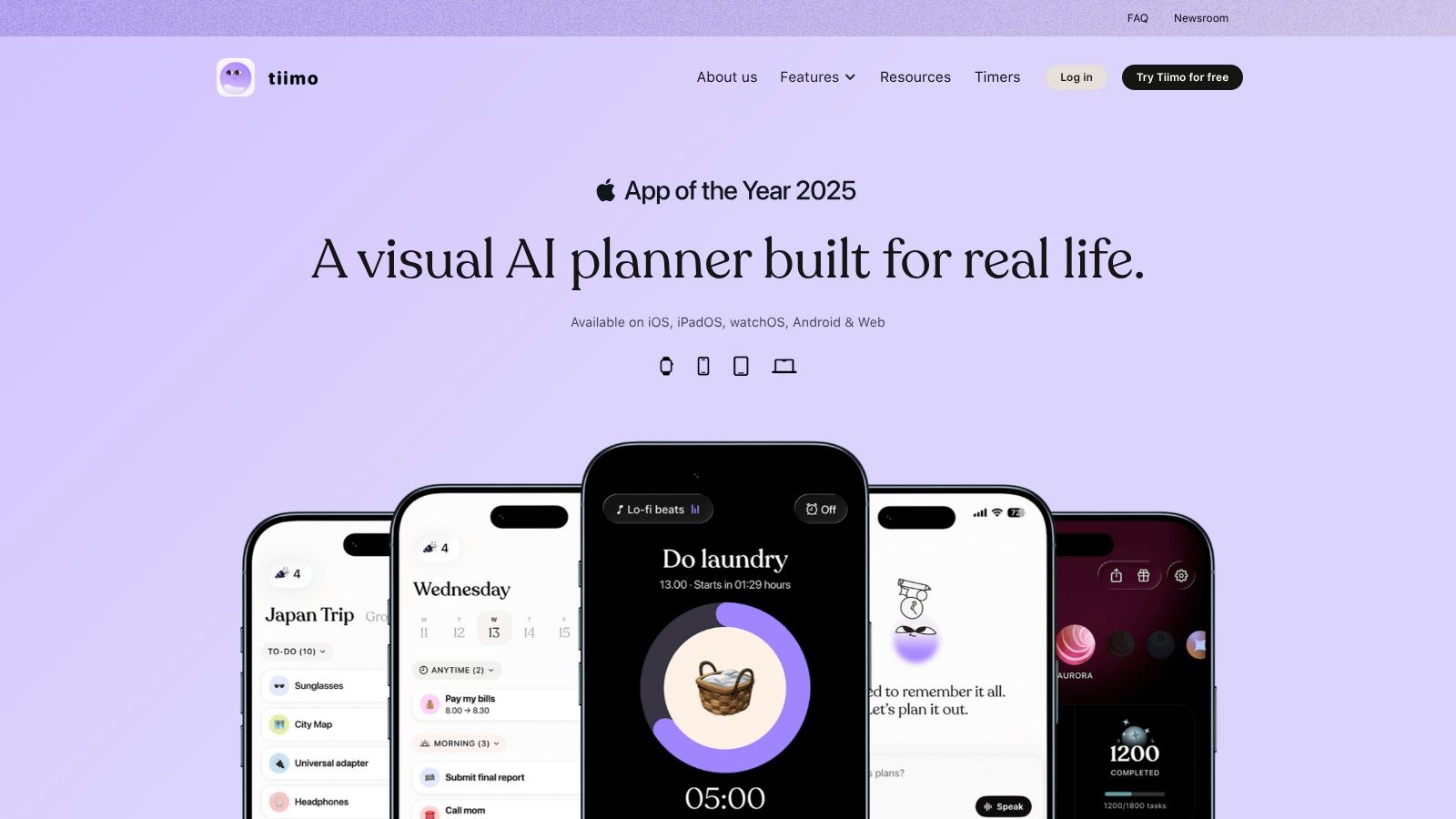
Tiimo includes a visual daily schedule and to-do list, focus timer, widgets, and calendar and reminder syncing. Its AI-supported planning and task breakdown are available in Pro. The app is available across iOS, Android, Apple Watch, and web, though the web planner and several advanced tools require Pro. Pro pricing varies by platform and location, so check the current offer where you plan to use it.
Try it as a map, not a mandate. Put a few meaningful blocks into the day and see whether the visual layout helps you move between them. If you frequently need to adjust plans, leave room for that rather than scheduling every moment.
Tiimo has a free mobile version with basic planning tools. It may suit people who want to see how the day unfolds, but a detailed plan can become one more thing to feel behind on if it's too ambitious. Explore Tiimo's visual planning tools and start with a day that includes realistic transitions and breaks.
2. Structured
A task list tells you what's pending. Structured helps show where tasks might fit in the day. It combines tasks and calendar events on a visual timeline, which can make time commitments feel more concrete than a column of items waiting to be checked off.
The task inbox is useful when an idea or obligation needs to be captured before you know when you'll do it. You can organize it later, rather than interrupting what you're doing to make a complete plan. Structured also supports task replanning, while recurring tasks and calendar import are Pro features. Some Pro features aren't available on every platform.
The trade-off is that a scheduled timeline can feel rigid. If an unexpected request takes over the morning, the rest of the plan may need manual adjustment. That's not a personal failure; it's a sign that a plan needs room to change. The developer says the free version includes much of the core planner and has no ads.
Use Structured if your main question is, “Where does this task go?” It may be less helpful if you want an app to automatically decide what matters or manage a complex project. Try Structured's timeline planner with a short list of tasks and a few fixed calendar commitments. If you spend more time rearranging blocks than acting on them, simplify the schedule.
3. Goblin Tools
When “finish the report” or “sort out the kitchen” feels too big to start, Goblin Tools can help turn a vague task into smaller actions. Its Magic ToDo tool generates steps for a task, while the Estimator offers a duration estimate and the Compiler can turn a brain dump into actions. Other tools, including Formalizer and Judge, support written communication.
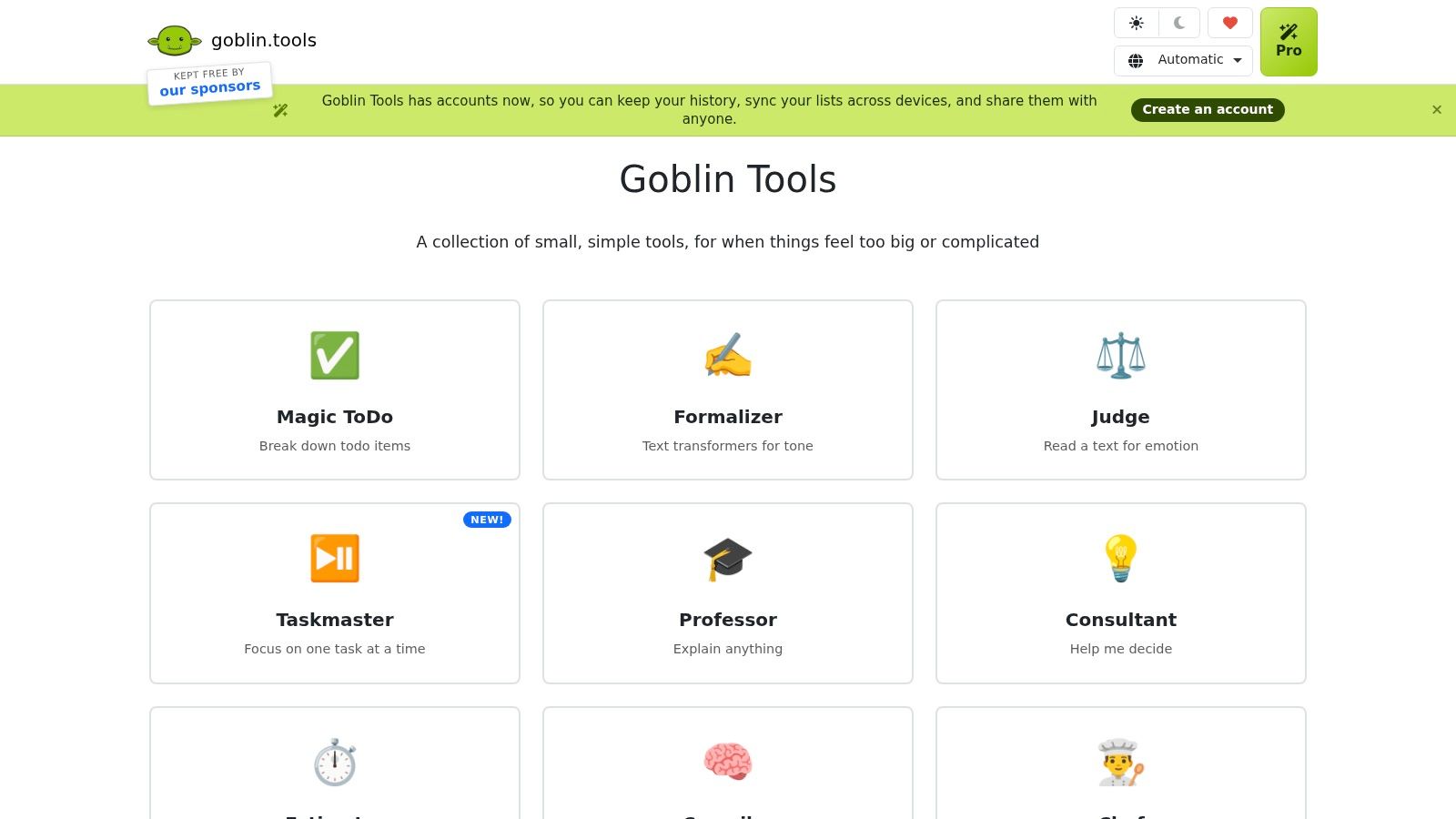
This isn't a full calendar or task manager. That's part of the appeal: it can be a helper for the moment you're stuck, rather than another place where all your commitments must live. The website is free to use, and you can choose the tool that fits the immediate need.
AI-generated steps and time estimates can be off. Review them and adjust the list to match the actual task, your resources, and what “done” means. A generated checklist is a starting point, not a judgment about how quickly you should work.
Make the next action small enough to begin. If the suggested step still feels too broad, rewrite it as something observable, such as opening the document or gathering the materials.
For support with the schoolwork side of getting started, see this guide to research for homework. Then try Goblin Tools to break a difficult assignment into steps you can place in a planner or start right away.
4. Brili
Some people know what they need to do but lose the sequence once they're moving. A morning routine can stall between getting dressed, packing a bag, eating, and leaving. Brili is built around routines, with timed steps and visual or audio prompts to help guide the sequence in the moment.
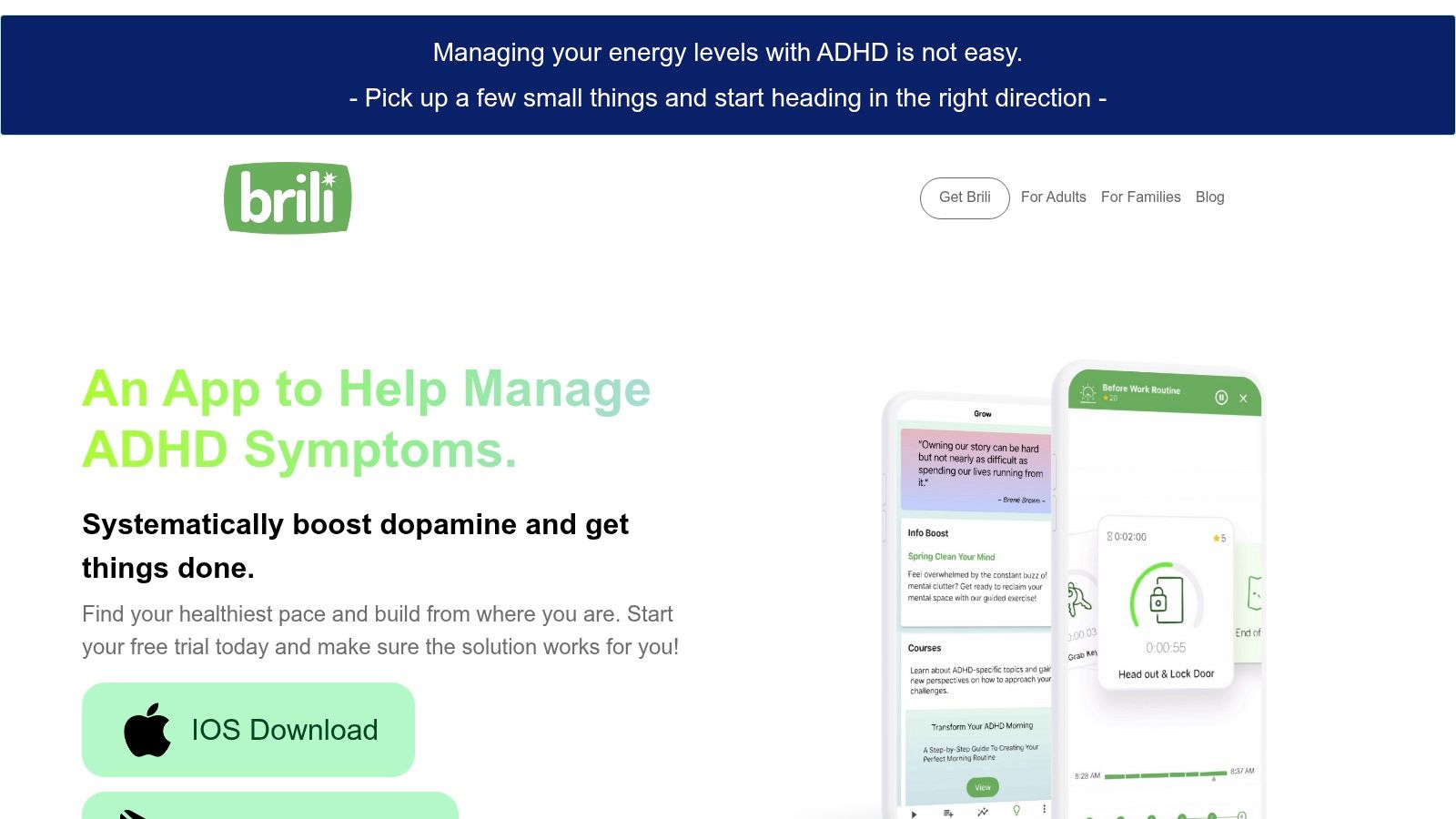
You can create custom or on-demand routines, use pre-made templates, and add notifications and task notes. Routine options cover areas such as work, self-care, exercise, and bedtime. The developer offers versions for adults and families, which may make the format worth considering for a teen or household routine as well.
A routine app won't replace a flexible calendar or project manager. Its value is narrower: it helps make a familiar sequence easier to follow without holding every step in working memory. The setup still matters. Prompts that arrive at the wrong time or timings that don't fit your actual routine may quickly become irritating.
Start with one repeated transition, not an overhaul of the day. For example, build a short sequence around leaving home, then revise it after you see where it gets stuck. Explore Brili's routine tools and treat the schedule as adjustable support, not a test you pass or fail.
5. Routinery
Routinery also focuses on routines, but emphasizes sequencing activities and assigning time to each step. Timers and prompts can make the length of a routine and the transition between tasks more visible. It may suit someone who loses track of time while getting ready or needs a predictable structure for a routine they want to start more consistently.
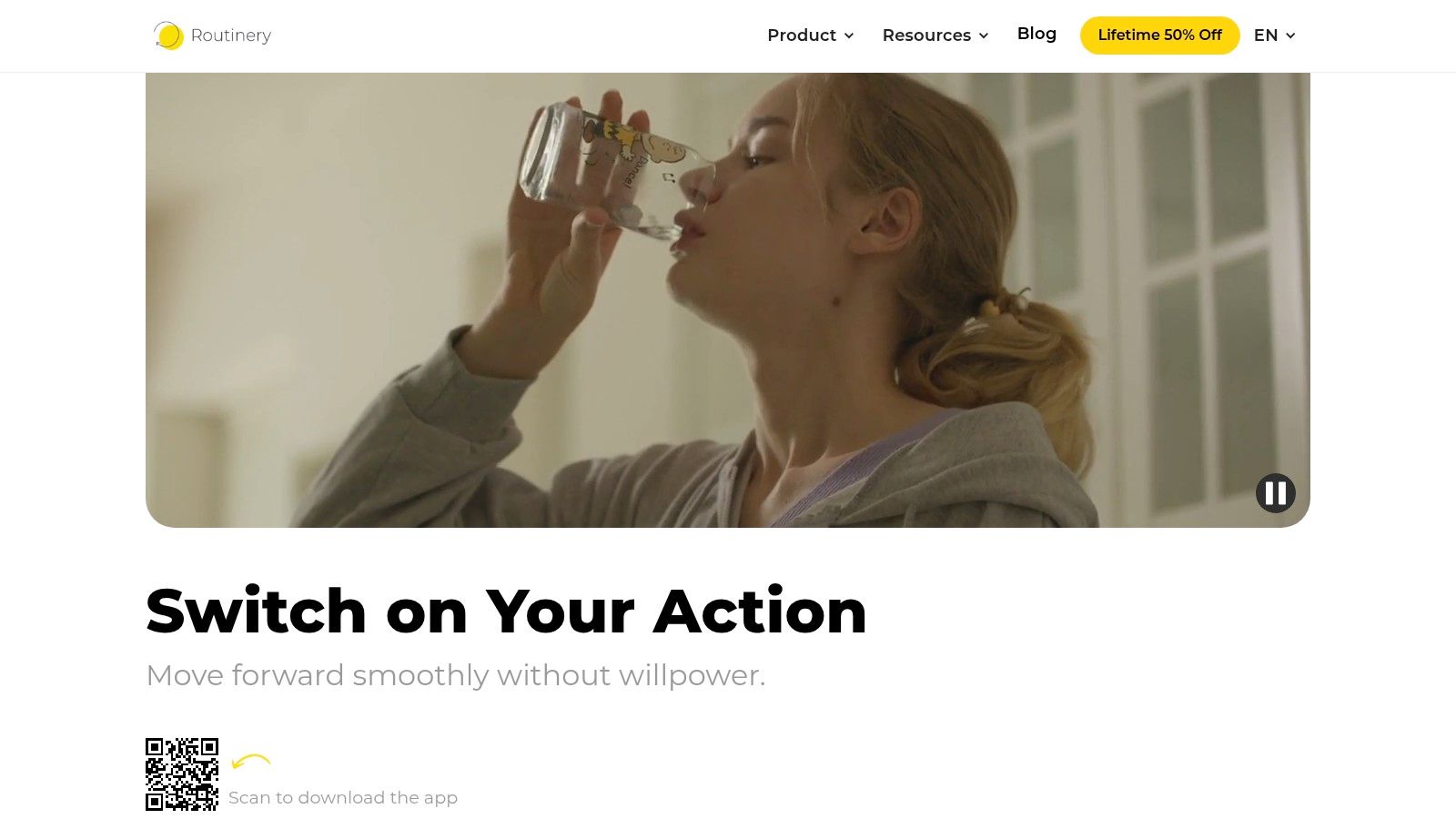
The app includes timed routine steps, audio and visual notifications, habit tracking, progress statistics, scheduling options, and a daily overview. Routines can be scheduled or started as needed. The App Store Editors' Choice description highlights its habit cadence, scheduling, and progress statistics.
Timers can help make a routine concrete, but they can also create pressure if every step feels like a countdown. Adjust durations and prompts to make them useful rather than punitive. Setup takes effort, and the terms for free access and trials may be less straightforward than the headline offer suggests, so review them before committing.
A practical test is to create one routine you already do, but often do in a scattered way. If the sequence helps you keep moving, keep it. If the timer increases stress, remove it or loosen the timing. Find current details on Routinery's routine app.
6. Llama Life
A long task list can make it hard to focus on any single task. Llama Life combines a to-do list with individual timers, estimated start and finish times, and gentle reminders. Its emphasis on the current task may suit someone who knows what needs doing but struggles to get started or stay with the work.

You can use it to break down larger tasks and make estimates and overruns more visible. Preset lists can reduce repeated setup for familiar sequences. Instead of staring at every project at once, you can focus on the next item and see how the work fits into a block of time.
That same timer-led workflow won't suit everyone. A countdown can make some people more anxious or self-critical, especially when tasks take longer than expected. If that happens, try using the app to choose a next step without timing it, or stop using the timer for tasks where it adds pressure.
Llama Life uses subscriptions, so check the current terms and pricing on its website before deciding. If timers feel supportive rather than stressful, test Llama Life with one manageable task. The point is to make beginning easier, not to race the clock.
7. Todoist
Todoist is a flexible, cross-platform task manager for personal and professional work. It supports quick task entry, recurring due dates, projects, priorities, subtasks, and list and board views. Calendar integrations and a range of other integrations can help connect it with tools you already use.
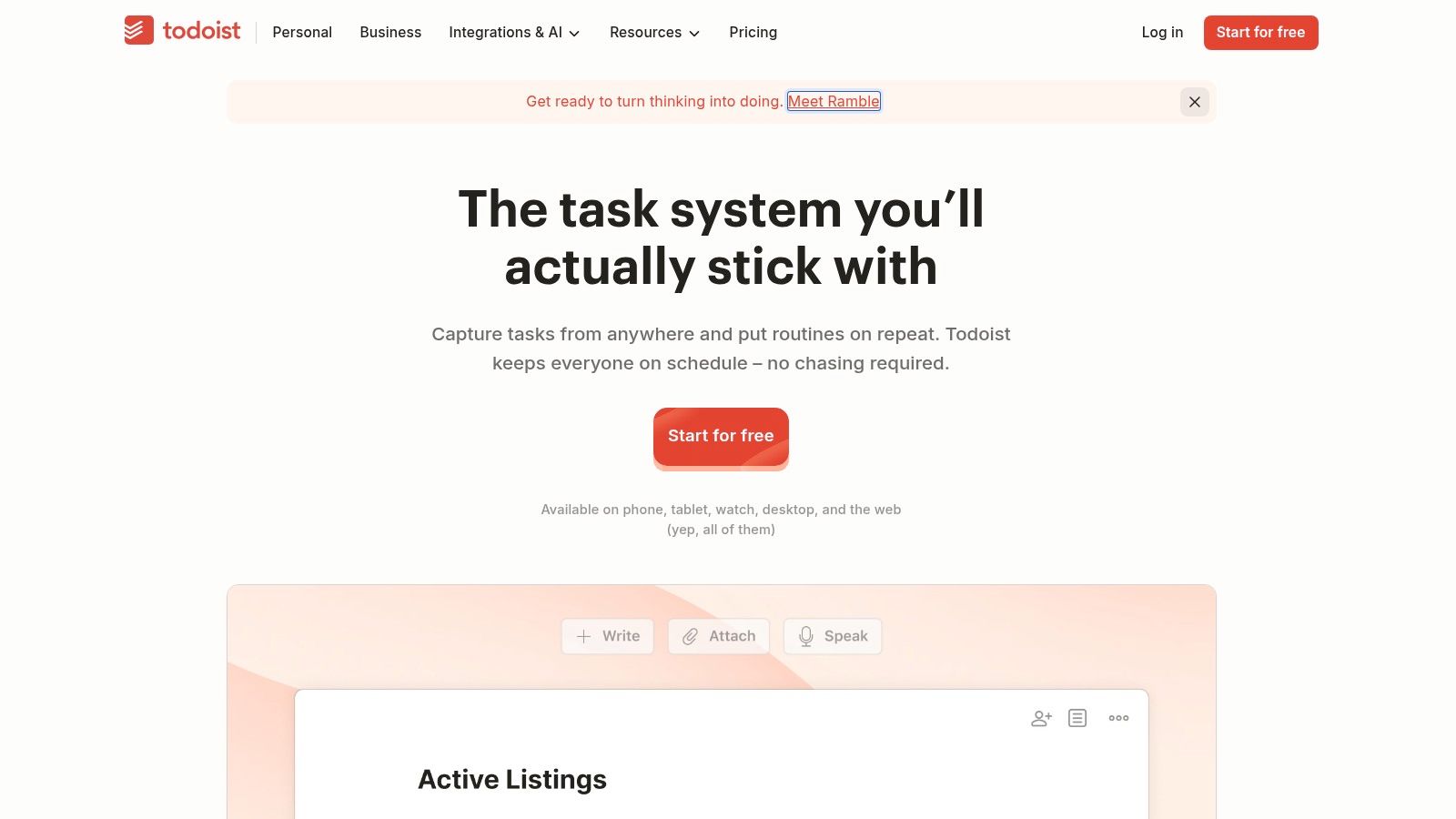
The free plan includes task reminders and up to five personal projects. Calendar layout, custom reminders, and other advanced tools require Pro. Todoist can support a simple list or a more detailed project structure, but it won't decide that structure for you. If you're already overwhelmed, too many labels, filters, and projects can make the app harder to use.
Keep the setup modest. Start with a small number of projects and use subtasks only when they clarify what to do next. A regular review can help catch items that are technically captured but no longer visible in daily life.
Todoist may be a good fit if you want a general-purpose system and are comfortable shaping it to your needs. It may feel less helpful if you need a visual routine or a guided timeline. For work-related focus challenges, you may also find this discussion of why you can't concentrate on work useful. Explore Todoist's task manager and choose a structure you can maintain.
8. Sunsama
If work tasks live across calendars and other tools, Sunsama brings daily planning and prioritization into one place. It encourages you to decide what you can realistically take on, rather than treating every task as if it can fit into the same day. Time estimates and timeboxing can help turn intentions into blocks of work, while a daily shutdown and planning ritual can give the workday a clearer ending.
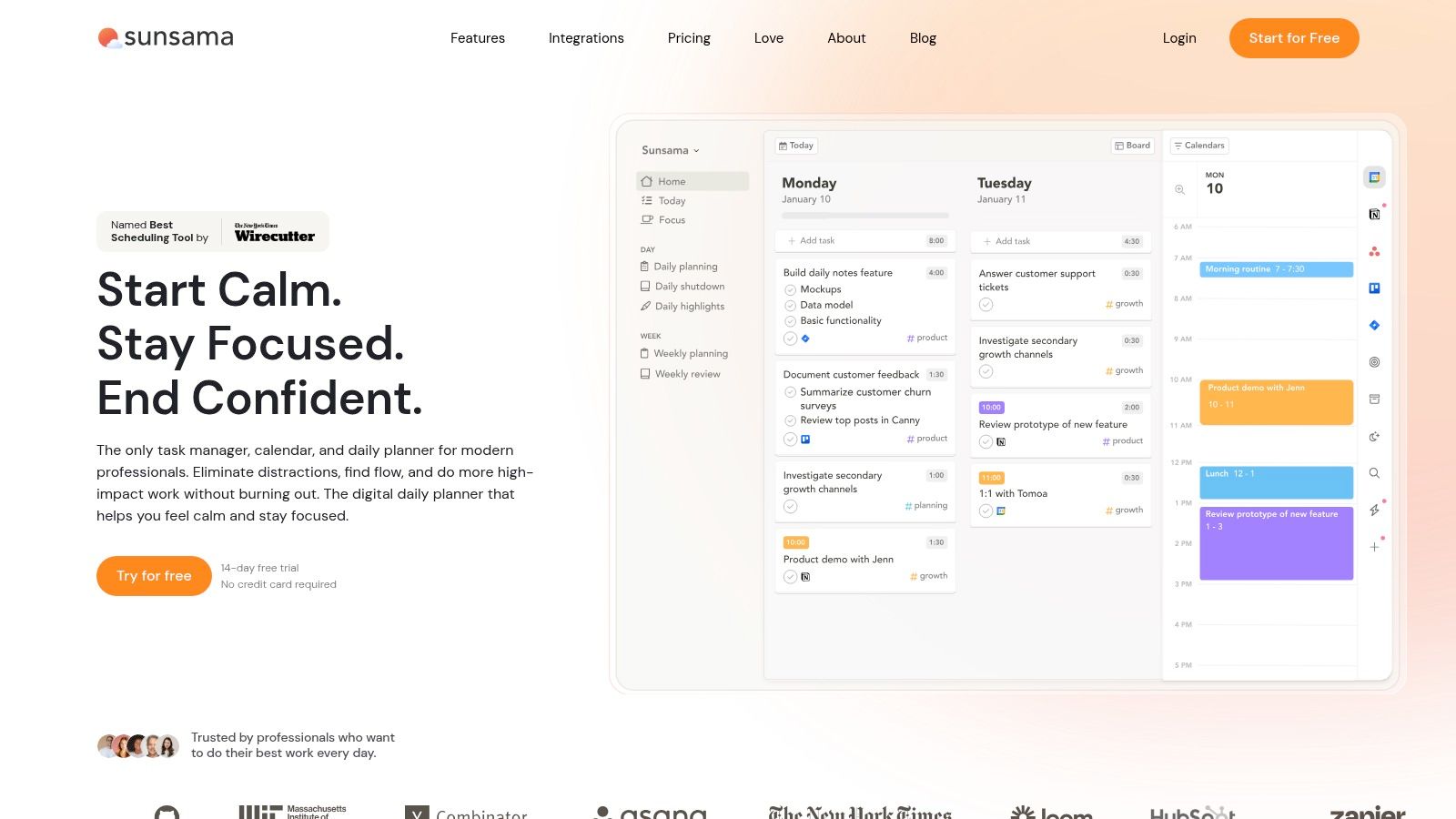
The app's integrations may suit adults coordinating professional commitments across several tools. Its pricing page offers a 14-day trial without a credit card, and the service is relatively expensive compared with many individual task apps. Its professional-work orientation may be more than you need if your main goal is remembering a few personal reminders or following a basic routine.
A guided daily plan can be helpful if overcommitting is the recurring problem. It can also become another ritual to maintain if the planning process is longer than the work it supports. Keep the review focused on the decisions that matter: what must happen, what can wait, and how much time the day leaves for focused work.
See whether Sunsama's daily planning tools fit your work style before making a paid commitment. A realistic plan should help you make choices, not make you feel behind before you begin.
9. Habitica
Some people find checklists dull but respond to visible progress and rewards. Habitica turns habits, recurring tasks, and one-off to-dos into a role-playing game. Completing tasks contributes to in-game rewards and avatar progression, and optional groups and challenges can add a social element.
The core app is free, with optional purchases and subscriptions. Reminders and widgets can help keep tasks visible. The game mechanics may make repetitive actions more engaging, particularly if rewards or shared challenges already motivate you.
But game mechanics aren't motivating for everyone. Some people find the interface distracting, and keeping both the task list and game elements current takes ongoing attention. If you stop updating the app, it can become a record of unfinished tasks rather than a useful prompt. Keep the list short enough that it still feels like a tool, not a tally of everything you haven't done.
If feeling overwhelmed is part of the picture, this article about why you may feel overwhelmed all the time offers another perspective. Try Habitica if the reward layer appeals to you, and give yourself permission to choose a simpler system if it doesn't.
10. Focusmate
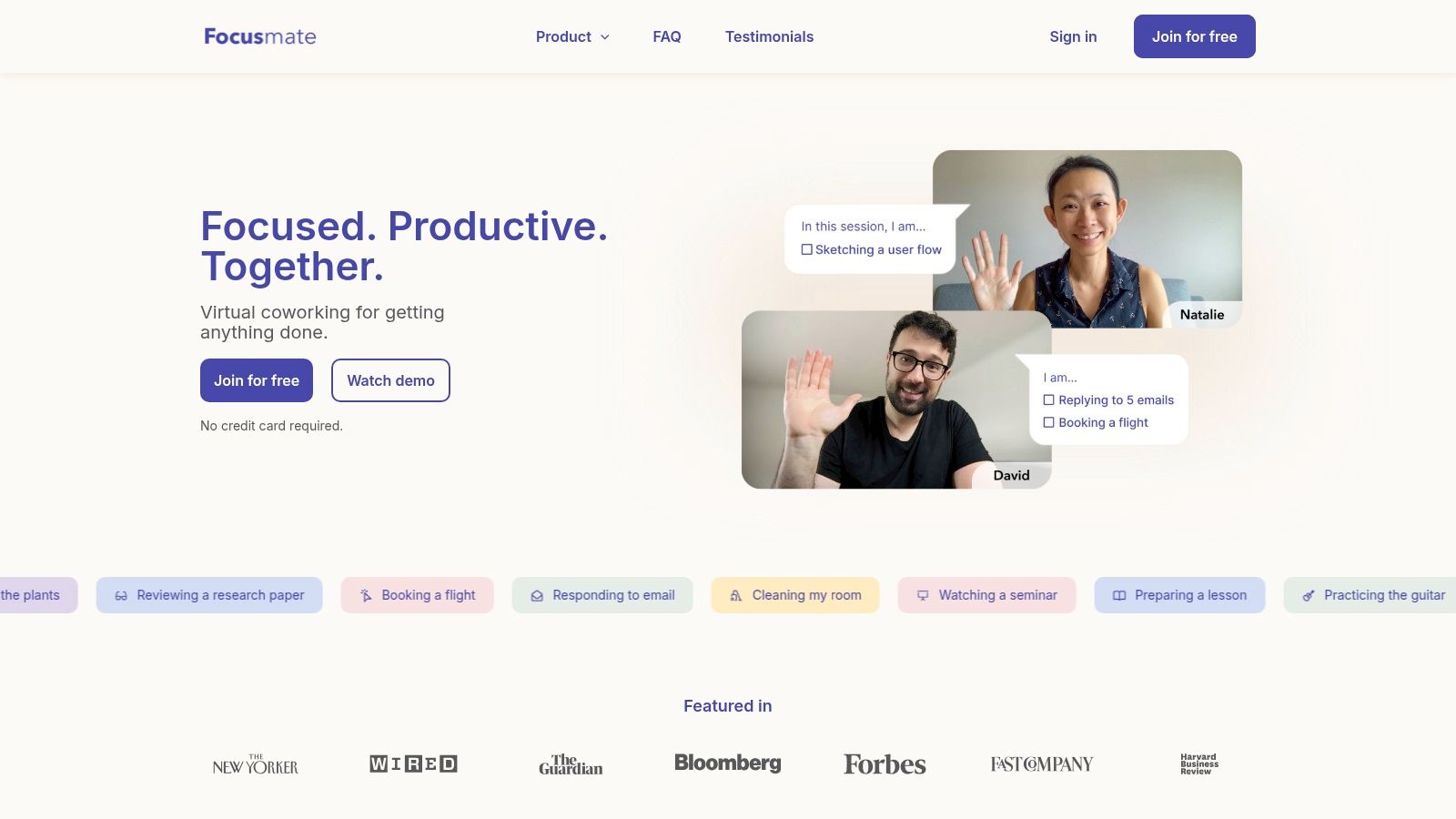
Sometimes the missing support isn't another planner. It's a clear start and another person present while you work. Focusmate is a virtual coworking service: you book a video session, state what you intend to do, work alongside someone, and check in at the end.
The service includes calendar invites for booked sessions and an option to favorite partners. Free access includes up to three sessions per week without a credit card. Sessions give a work block a defined beginning and end, and can be used for varied tasks, from email to household chores.
Focusmate doesn't break down tasks or manage a calendar. You'll need to decide what to work on before the session, even if that intention is small, such as replying to one message or sorting one pile of papers. It also requires comfort with working on video alongside another person. If the camera and social element feel distracting, this may not be the right kind of accountability.
Focusmate can be especially relevant when you know what to do but keep postponing the start. You can learn more about Focusmate's virtual coworking sessions and try a session with a task that's clear enough to begin once the meeting starts.
Top 10 Executive Functioning Apps: Feature Comparison
Tool | Main Support | Best Suited For | Standout Feature | Access or Pricing |
|---|---|---|---|---|
Tiimo | Visual daily planning, reminders, and focus tools | People who find text-heavy task lists hard to scan | Color-coded schedules and AI-assisted planning | Free mobile version; some features require Pro |
Structured | Timeline-based task and calendar planning | People who want a clear view of the day | Combines tasks and calendar events on one timeline | Free core planner; some features require Pro |
Goblin Tools | Breaking tasks down and organizing thoughts | People who feel overwhelmed by a task or brain dump | Separate tools for task steps, time estimates, and writing | Website is free; not a full planner |
Brili | Step-by-step routines with timed prompts | People who need support with routines and transitions | Ready-made routine templates and visual clock | Adult and family versions; setup required |
Routinery | Timed routines and habit tracking | People who benefit from structured daily sequences | Routine timers plus habit progress statistics | Free access and trial terms may vary |
Llama Life | Task focus, timers, and time estimates | People who struggle to start or stay with one task | Focuses attention on the current task | Subscription; check current pricing |
Todoist | General task and project management | People who want a flexible system they can customize | Recurring tasks, subtasks, and integrations | Free plan available; advanced tools require Pro |
Sunsama | Daily work planning and timeboxing | Adults coordinating work tasks across several tools | Encourages realistic daily workloads and shutdown rituals | Paid service; 14-day trial listed |
Habitica | Habit and task tracking through game mechanics | People motivated by rewards or group accountability | Tasks earn in-game rewards and character progress | Core app is free; optional purchases and subscriptions |
Focusmate | Virtual coworking and task-start support | People who need structure to begin or sustain a work block | Scheduled sessions with start and end check-ins | Free access includes up to three sessions weekly |
Nick Donahue, LICSW | Individual therapy for ADHD, anxiety, relationships, substance use, and life transitions | Teens and adults seeking personalized, judgment-free support | Conversational therapy with practical, brain-aligned strategies | 60-minute sessions; in person in D.C. and virtual in D.C. and Virginia |
Choose One Support and Make It Work for You
Choose an app based on the executive-function problem that's disrupting your life most, not the one with the longest feature list. If you can't see how the day fits together, try a visual planner such as Tiimo or Structured. If a task feels impossible to enter, Goblin Tools may help turn it into smaller actions. If routines fall apart during transitions, consider Brili or Routinery. If starting is the sticking point, Focusmate offers a defined work session with another person present.
Then test one tool for two weeks with a small, realistic task. That's a trial period, not a claim that an app will solve the problem in that time. Pick a specific use, such as planning the workday, following a bedtime routine, or beginning one avoided task. Adjust the notifications and structure as you go. At the end, ask whether the app reduced friction or created another burden to manage.
Keep your setup as simple as possible. A task manager and a routine app may complement each other, but several tools competing to remind you can create noise. When you do combine apps, give each a clear job. For example, one tool can hold the task, while another provides a visual prompt or a scheduled session to help you begin. If you find yourself maintaining the system more than using it, simplify it.
Digital supports can be useful, but the evidence doesn't support treating apps as a replacement for individualized ADHD care. A recent review of apps and other digital interventions found possible benefits across several outcomes, while noting that the overall evidence remained inconclusive because many underlying reviews were low or critically low quality (review of digital ADHD interventions). A tool may support planning or follow-through without resolving the anxiety, shame, perfectionism, avoidance, or relationship patterns that can accompany executive-function difficulties.
Therapy can make room to understand those patterns and explore practical, individualized ways of responding. Nick Donahue LICSW PLLC offers ADHD-focused, in-person therapy in Washington, D.C., and virtual therapy for clients in D.C. and Virginia. If you'd like support with the emotional and behavioral patterns underneath organizational struggles, you can learn about the practice and request an initial consultation at Nick Donahue LICSW PLLC.
Comments